Just to get off on the right foot: This is a guide for configuring Gnome on NixOS . Not KDE
I’m going to assume you have a working NixOS installation, as well as Home Manager, but not a Gnome installation, so I’ll be going over how to install Gnome, and then using Home Manager to configure it. I also very much recommend setting up Stylix, but that’s not going to be covered.
Gnome
You can make your standard nix file; or add this to your main configuration if you use a Monofile (I do very much recommend against this), but either way, Gnome needs some scaffolding:
{
  # You're going to want to use GDM as your display manager;
  # otherwise Gnome will work, but might have weird/odd issues.
  services = {
    displayManager = {
      autoLogin = {
        # This is ENTIRELY optional, you don't need to do this,
        # and in fact shouldn't unless you're 100% certain that
        # you want to allow unknown people to gain easy access.
        user = "username";
        enable = false;
      };
      gdm = {
        enable = true;
        wayland = true; # Wayland is the future, and the future starts with you!
        autoSuspend = true; # This configured whether GDM will
        # automatically suspend your computer when you're not using it.
      };
    };
  };
}
That’s really all you need to do to get GDM up. Make sure you don’t also have sddm or lightdm installed, as they will conflict with GDM.
Now, for getting Gnome up and running,
{
  services = {
    desktopManager = {
      gnome = {
        enable = true;
        # Wayland is enabled automatically as long as GDM is configured to use it.
        # Otherwise, it'll fall back to X11.
      };
    };
  };
  # I had a weird issue where I couldn't get the portal to work, and this fixed it.
  # No idea why. Likely not needed for you, but included just in case.
  xdg.portal = {
    enable = true;
    extraPortals = [ pkgs.xdg-desktop-portal-gnome ];
  };
  # You likely want xwayland, for older applications that still use X11.
  programs = {
    xwayland = {
      enable = true;
    };
  };
  # You'll likely also want rtkit. It doesn't hurt to have it, but it's not required.
  security = {
    rtkit = {
      enable = true;
    };
  };
}
And just like that, we have Gnome up and running! Now for the funner part!
Home Manager
First, configure your desktop environment how you’d like, changing settings.
Then, use dconf2nix to generate a nix file (At the moment, the command is dconf dump / | dconf2nix > dconf.nix). You’re going to want to go through this and delete any settings that are default, or that you don’t care to maintain.
You’re going to end up with a file that starts looking like this:
# Generated via dconf2nix: https://github.com/gvolpe/dconf2nix
{ lib, ... }:

with lib.hm.gvariant;

{
  dconf.settings = {
    "ca/desrt/dconf-editor" = {
      saved-pathbar-path = "/";
      saved-view = "/";
      window-height = 500;
      window-is-maximized = false;
      window-width = 540;
    };
  };
}
You’re going to want to go through, and remove things as well that don’t make sense to keep - Things like if the window is maximized, or resized, all that stuff.
Within your Home Manager environment for your user, you now want to import this file, and then you can simply switch your system to apply the changes. Keeping in mind that how you do that depends on how you installed Home Manager.
And now for some helpful snippets from my config (This looks different, as it’s been heavily modified over time by myself)
Extensions
{
  lib,
  pkgs,
  osConfig,
  ...
}:

with lib.hm.gvariant;
let
  extensions = [
    pkgs.gnomeExtensions.dash-to-panel
    # Other Extensions Here. Find them on Gnome's Website, then look up their name on Nixpkgs.
    pkgs.gnomeExtensions.compiz-alike-magic-lamp-effect
  ];
  # This is the list of extension UUIDs that you want to enable,
  # which is way easier than the patten I used to follow of install
  # extension, enable, find ID, add, switch *again*, so on and so forth.
  extensionUuids = map (ext: ext.extensionUuid) extensions;
in
{
  home.packages = [ pkgs.example ] ++ extensions;
  dconf.settings = {
    "/org/gnome/shell" = {
      enabled-extensions = extensionUuids;
      favorite-apps = [ # Random Extra: Pinning some apps to the panel.
        "org.gnome.Nautilus.desktop"
        "firefox.desktop"
      ];
    };
  };
}
I highly recommend using dconf-editor to find the settings you’re looking for - If nothing else it can be easier to find what you’re looking for while going through that than digging through the generated nix file. (You can also build your own nix file with the dconf settings from dconf-editor, but it’ll be harder to capture all of your defaults at first. Helpfully, most extensions also store their settings in dconf!)
At this point you have gnome, and all of the tools you need to configure it, down to the smallest details.
And I do mean that, this is what my desktop looks like:
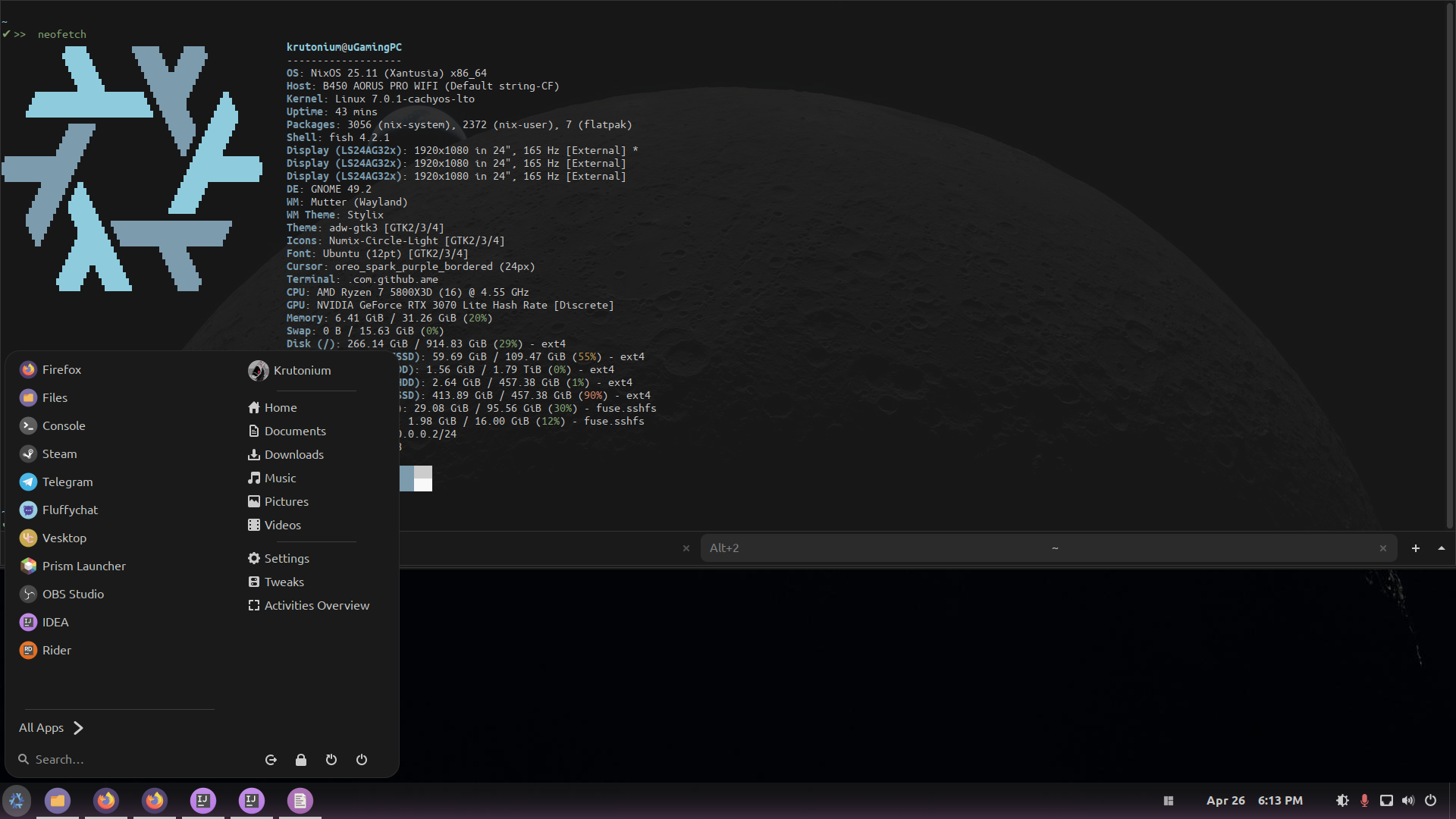
None of that is configured via a settings panel/window. It’s ALL via dconf. Here’s my current configuration at the time I wrote this!
Have a great rest of your day, HMU on if this helped you or you have questions! :)